IT support for small business in New Jersey: what to expect

- Good IT support for a New Jersey small business means someone answers fast, fixes the problem, and also works to stop it from happening again.
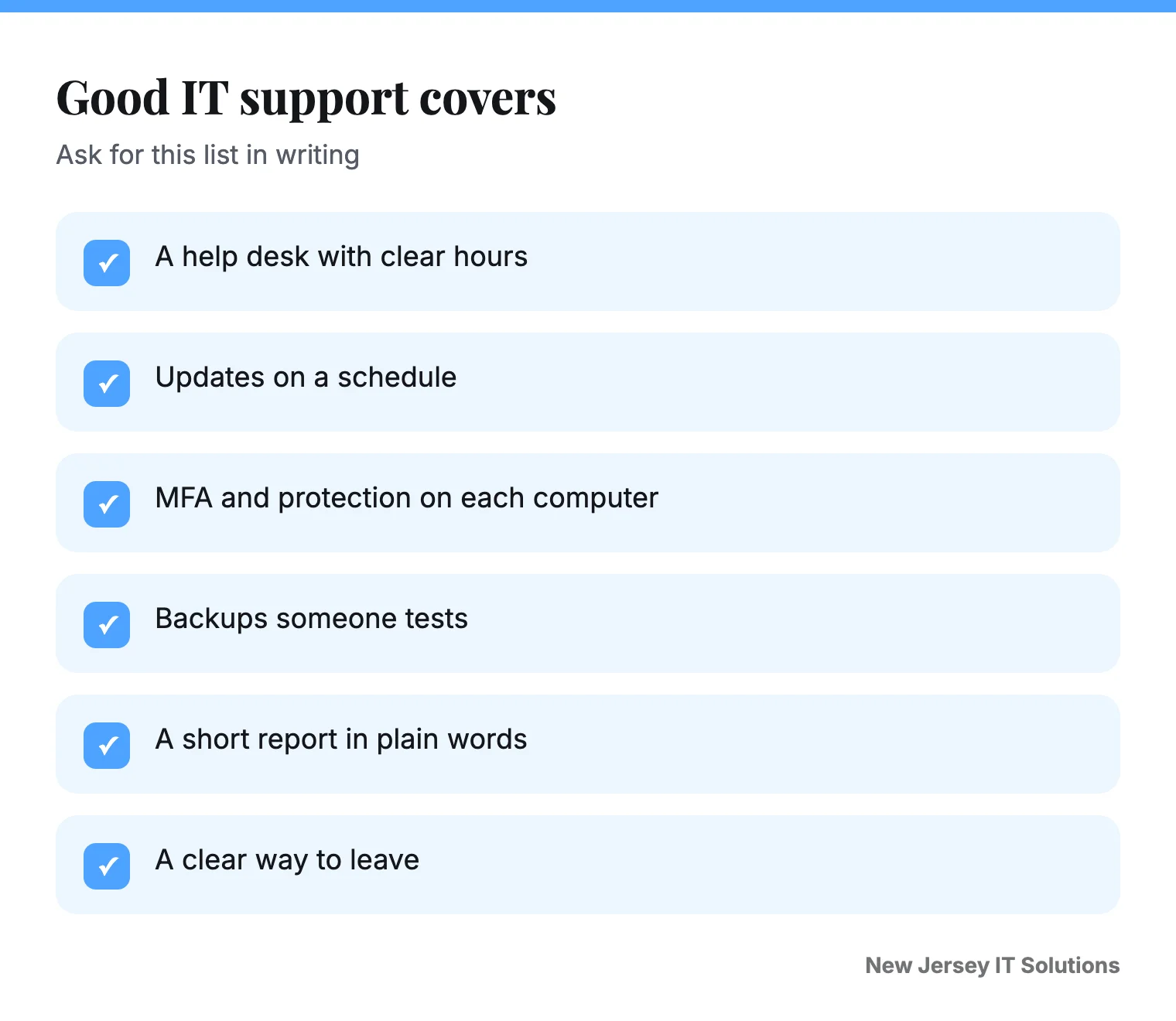
- It should cover a help desk, updates, backups and basic security like MFA, in writing.
- Remote help solves most problems. Ask how and when they come on site.
- Pick a provider who explains things in plain words and tells you what is NOT included.
Free 30-minute review
Tell us about your office. We tell you what we would fix first, in plain words, whether or not you hire us.
Most New Jersey owners did not start a business to think about computers. You want email to work, the printer to print, and your customer data to stay private. That is what IT support is for.
This guide explains what you should expect, in plain words.
What does good IT support do?
It does four jobs.
- Answers when you are stuck. A real person, in a clear time.
- Keeps things updated. Old software is a common way in for attackers.
- Protects you. MFA, protection on each computer, safe email, and backups.
- Reports back. A short, readable note on what was done.
The FTC's small business pages are a good checklist of the basics. See Cybersecurity for Small Business.
Remote or on site?
Most fixes are done remotely, in minutes. That is how we work across Middlesex, Monmouth, Essex, Hudson and Mercer and Ocean counties. We visit when hardware needs hands, like a new office, a dead switch or a new workstation.
Ask any provider: How fast can you be here if it cannot be fixed remotely? Is the visit included, or billed extra?
What should be in writing?
| Item | What to ask |
|---|---|
| Help desk hours | When can I reach someone, and how fast do you reply? |
| Security | Is MFA, computer protection and email filtering included? |
| Backups | Who tests the restore, and how often? |
| Extras | What costs more, like after-hours or projects? |
| Exit | How do I leave, and who hands over the passwords? |
Red flags
- A price with no list of what is included.
- They hold the only admin passwords.
- No one can say how fast they reply.
- A long contract with no way out.
- Big words and no plain answers.
How fast should IT support respond?
A good provider tells you the time to first reply in writing. Urgent problems, like a down network, should get a faster answer than a how-to question. If a provider will not give you a time, that is your answer.
What is a help desk?
A help desk is the team you call or message when something breaks. It can fix many problems remotely, in minutes. Ask who answers, what hours they work and how you reach them after hours.
A simple first-week plan with a new IT provider
- List every person, computer and key tool, like email and accounting.
- Turn on MFA for email and admin accounts.
- Check that backups run, and test a restore.
- Make sure you hold the admin passwords.
- Agree on how to report a problem and how fast you will hear back.
For a longer list of what to ask, read our 10 questions to ask a New Jersey IT provider. To plan for the worst day, see our backup plan for New Jersey small business and what to do first in a ransomware attack.
How much should it cost?
Prices vary with team size and risk, so we do not guess here. For real ranges and the traps to check, read our managed IT pricing guide for New Jersey. If you are weighing a monthly plan against paying as you go, see managed IT vs break-fix.
What should you do next?
Write down the five things that slow your team the most. Count the people and devices you have. Then ask two or three providers the same questions from the table. Compare the answers, not just the price.
If you want to start with a conversation, book a free 30-minute review. We look at your setup and tell you what we would change, whether or not you hire us. You can also read about our managed IT support and help desk.
Common questions
What does IT support for a small business include?
Most plans include a help desk, monitoring, updates and patching, security basics such as MFA and protection on each computer, and backups. Ask for the exact list in writing.
Do I need on-site IT support in New Jersey?
Most problems are fixed remotely. On-site visits matter for hardware, new offices and network cabling. Ask how fast a technician can reach you and whether visits are included.
How do I choose an IT support company?
Ask what is covered, how fast they reply, who owns your passwords, how backups are tested and how you can leave. Ask for a sample report.
What is the difference between IT support and managed IT?
IT support often means help when something breaks. Managed IT means a provider also watches and maintains your systems on a steady plan, to prevent trouble.
How fast should IT support respond?
Ask for a written time to first reply. Urgent problems like a down network should get a faster answer than how-to questions.
Book a free 30-minute review
Tell us what is not working. We will look at your setup and tell you what we would change, whether or not you hire us.
Book the review ●●● ●●●-●●●●