A backup and recovery plan for New Jersey small businesses

- A backup plan has two parts: copies of your data, and a plan to get working again.
- Keep a copy away from your office and one that an attacker cannot change. CISA advises offline, encrypted backups that you test regularly.
- Decide how much work you can lose and how long you can be down. Build to those two numbers.
- Write a one-page continuity plan for outages: who does what and where to work.
Free 30-minute review
Tell us about your office. We tell you what we would fix first, in plain words, whether or not you hire us.
New Jersey offices deal with real life: a power cut, a burst pipe, a failed drive, a storm that closes the road. And, of course, ransomware. A backup plan is how you keep going.
This is a short, practical plan. It is built from CISA and FTC advice, plus what we see in small offices.
Two parts: data and plan
Data is the copies of your files and systems. The plan is what you do to get working again. Many offices have the first and not the second.
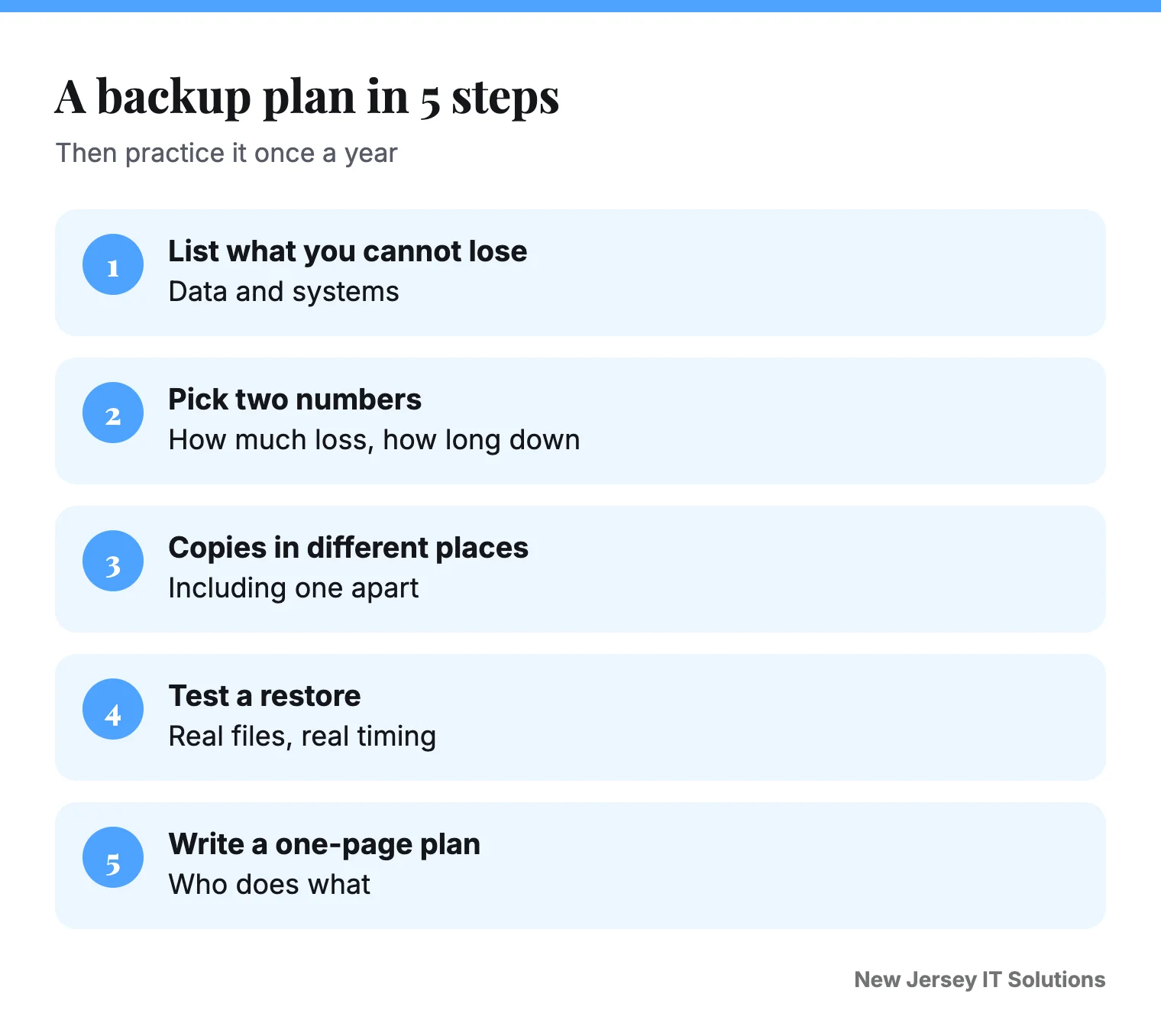
Step 1: List what you cannot lose
Write down the systems and files that would stop the business: accounting, customer records, email, shared drives, and your website. Put them in order of importance.
Step 2: Choose two numbers
- How much work can we afford to lose? (One hour? One day?)
- How long can we afford to be down?
These two numbers tell you how often to back up and how fast you need to restore.
Step 3: Keep copies in different places
The FTC advises that you back up files regularly and store backups in the cloud or on an external drive. CISA goes further: keep offline, encrypted backups of critical data and test them regularly, because many ransomware variants try to delete or encrypt the backups they can reach.
A simple, strong setup:
- A cloud backup that runs every night.
- A second copy on a different kind of storage.
- One copy kept offline or in a locked place away from the office.
For the idea in more detail, read the 3-2-1 backup rule.
Step 4: Test the restore
Once a quarter, bring back a few real files and check that they open. Write down the date. A backup you have never restored is a guess.
Step 5: Write a one-page continuity plan
Cover these:
- Who is in charge and who is the backup person.
- How to reach each other if email is down. A phone list on paper.
- Where to work if the office is closed. Laptops, a home, a shared space.
- What to do without internet. A phone hotspot, and which tasks can wait.
- Who to call: IT provider, insurer, key vendors.
- Where the backups are and who can reach them.
Keep a paper copy in two places.
Step 6: Practice once a year
Pick a quiet hour. Pretend the office is closed. Can everyone find the plan? Can you reach the backups? Fix what breaks. It is far easier to learn this in a drill.
Do not forget cloud tools
Email and cloud apps need backing up too. Many people assume the provider does it. Check what your provider keeps, for how long, and whether you can get older versions back.
What is the difference between a backup and a recovery plan?
A backup is a copy of your data. A recovery plan says how you get back to work: who does what, in what order, using which copies. You need both. Many businesses have the first and not the second.
How do I keep working during a power or internet outage?
Think about the few things you must do: take orders, take payments, reach customers. Pick a simple fallback for each, like a mobile hotspot, a battery for the router, paper forms or a second way to take cards. Write it on the one-page plan.
A quick check you can do in 10 minutes
- Do we know what we cannot lose?
- Is there a copy somewhere other than the office?
- Did we restore a real file in the last month?
- Does the plan say who calls whom?
For the basics of copies in different places, see the 3-2-1 backup rule explained. If you are hit by an attack, use our ransomware checklist.
How we can help
We set up backups, test restores and write continuity plans for New Jersey businesses. Book a free 30-minute review and we will check your current setup. See our managed IT support and the guide on ransomware: who to call.
Common questions
How often should a small business back up?
As often as you can afford to lose work. For most, that is daily, and more often for key systems.
Do I need an offline backup?
CISA says many ransomware variants try to delete or encrypt backups they can reach, so keep offline, encrypted backups of critical data and test them regularly.
What is a continuity plan?
It is a short written plan for keeping the business running if systems, power or internet go down. It names who does what, how to reach people and where to work.
Where should the backup copy be stored?
Away from your main office. The FTC says backups can be stored in the cloud or on an external drive.
What is the difference between a backup and a recovery plan?
A backup is a copy of your data. A recovery plan says who does what to get back to work, using which copies.
Book a free 30-minute review
Tell us what is not working. We will look at your setup and tell you what we would change, whether or not you hire us.
Book the review ●●● ●●●-●●●●